Mac app · macOS 26+
Screenshots, done in seconds.
ShotSumo lives in your menu bar. Drag out a region, mark it up, pixelate whatever shouldn't be shared, then copy or save it. That's the whole app — and it never sends your screenshots anywhere.
- Written in
- Swift 6
- Requires
- macOS 26+
- Lives in
- The menu bar
- Account
- None
- Price
- Free
The whole workflow
Three steps, no window to go and find.
Press ⌘⇧9
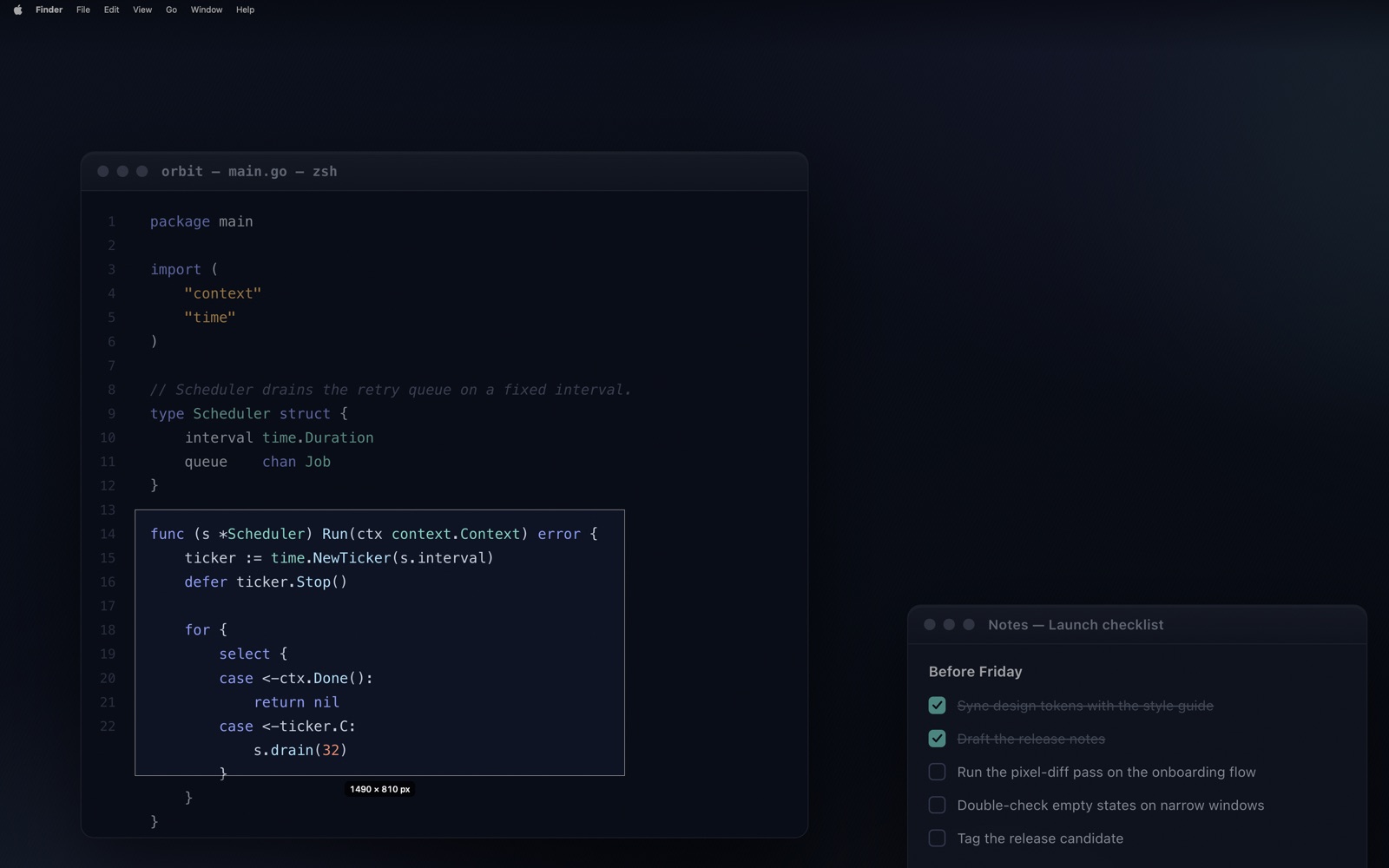
The screen freezes and ShotSumo draws its own selection overlay on top of the frozen picture. Drag out the rectangle you want. Esc, a right-click, or a click without a drag cancels — and nothing is captured.
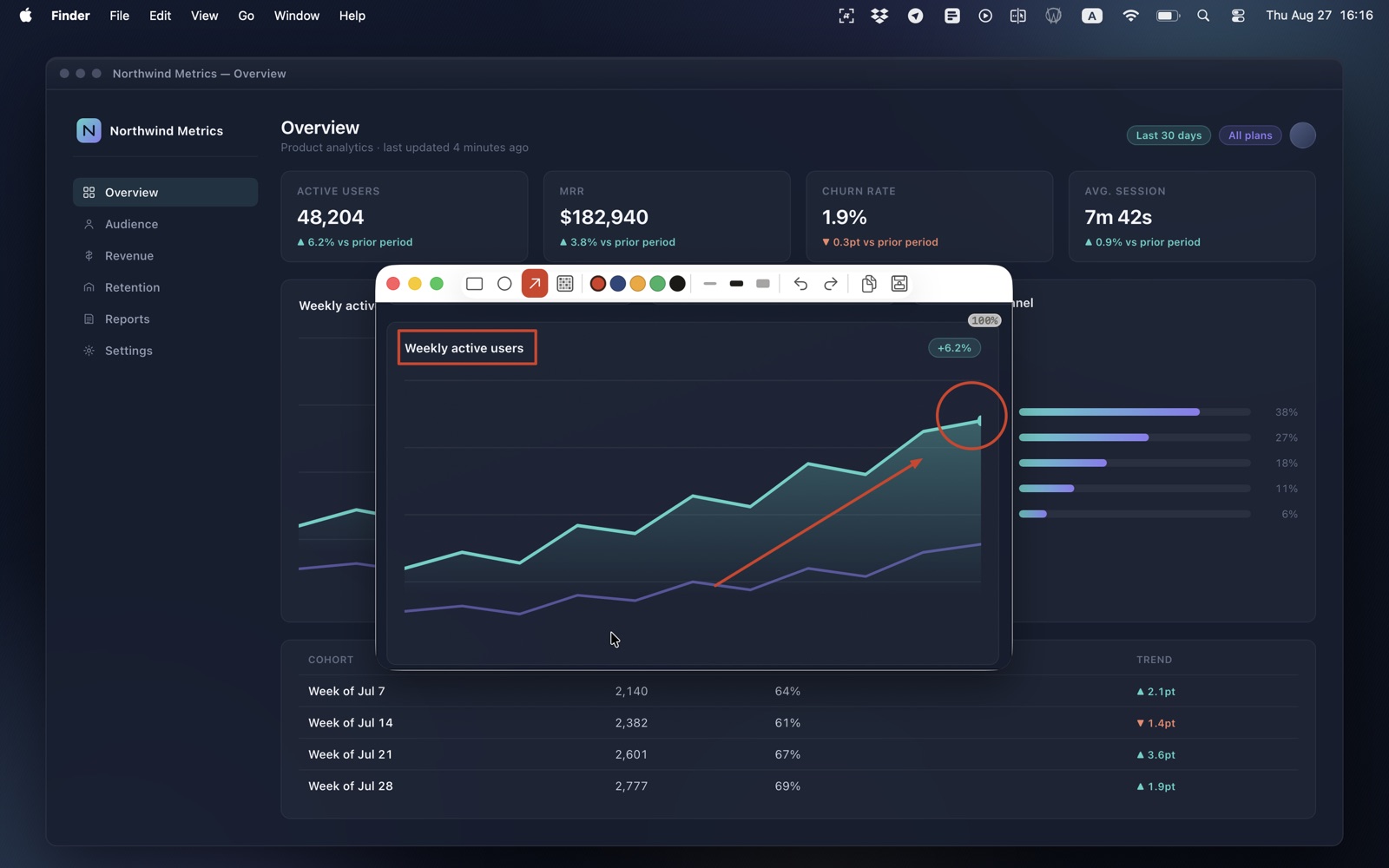
The editor is already open
Every capture opens straight into the annotation editor. Rectangle, ellipse, arrow and pixelate, each with its own colour and stroke width, plus undo, redo and zoom.
⌘C or ⌘S
Copy puts a flattened PNG on the clipboard at full native resolution. Save writes a timestamped PNG to the folder you picked, and can reveal it in Finder the moment it lands.
What's in it
Small on purpose.
Everything below is in the app today. There is no upsell hiding behind any of it, and nothing is metered.
Three ways to capture
A region you drag out, any open window with a click, or a whole display — with one menu item per display when more than one is connected.
Four annotation tools
Rectangle, ellipse and arrow for pointing at things; pixelate for the opposite. Each carries its own colour and stroke width, and every stroke is undoable.
Redaction that actually redacts
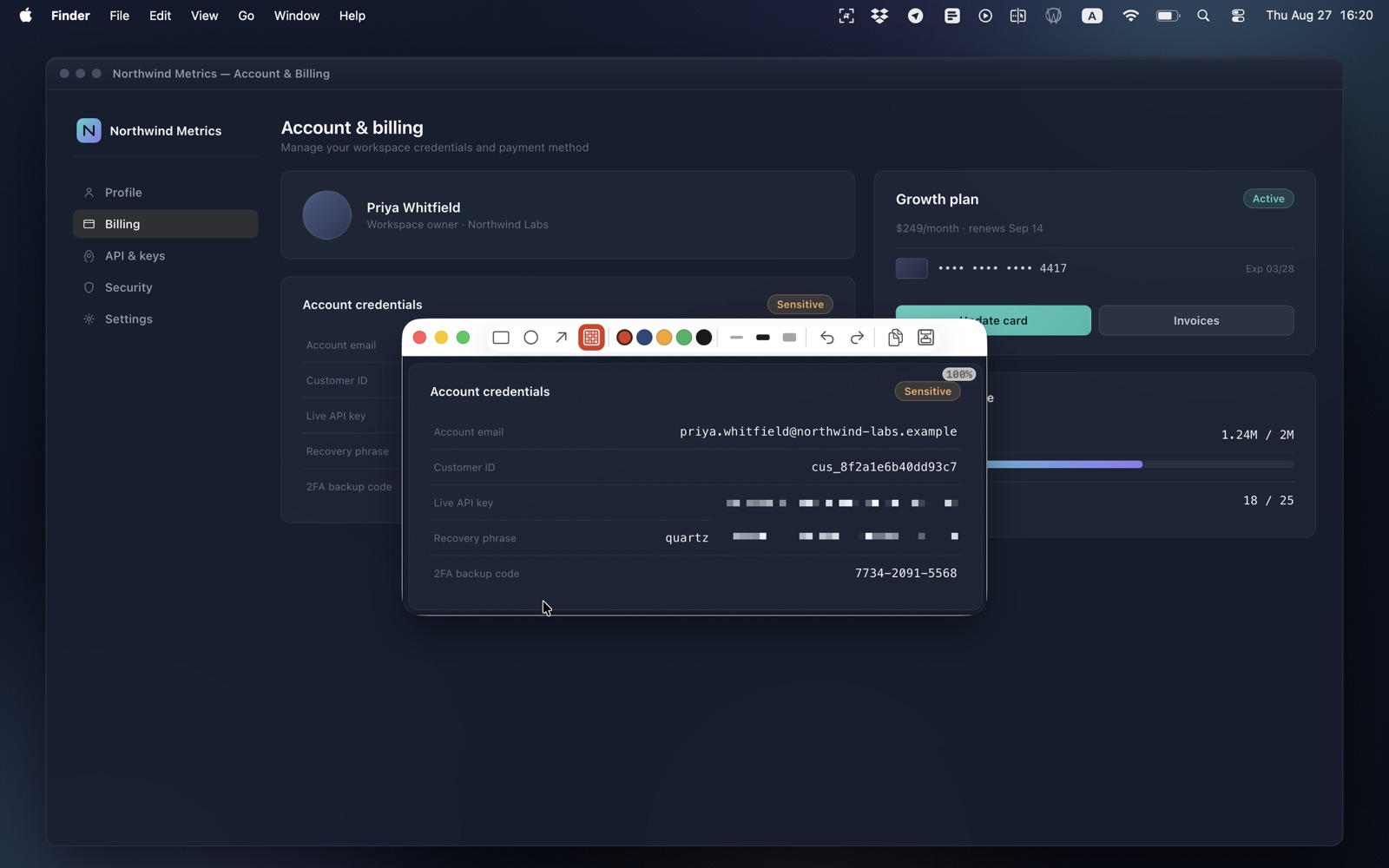
The pixelate tool rewrites the pixels underneath before anything is exported. A password, a name or an account number is gone from the image, not covered by a shape someone can drag off.
Rebindable hotkeys
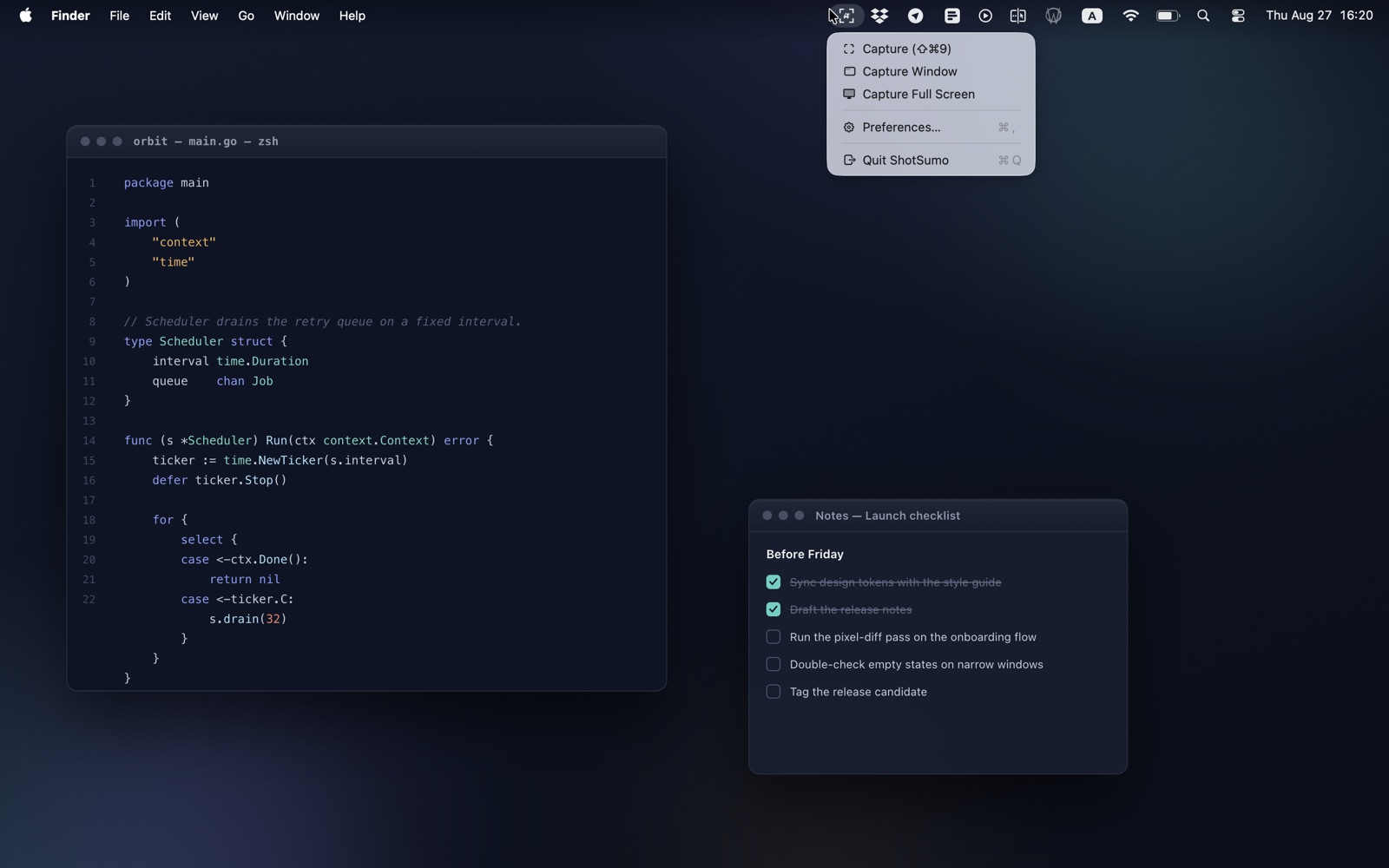
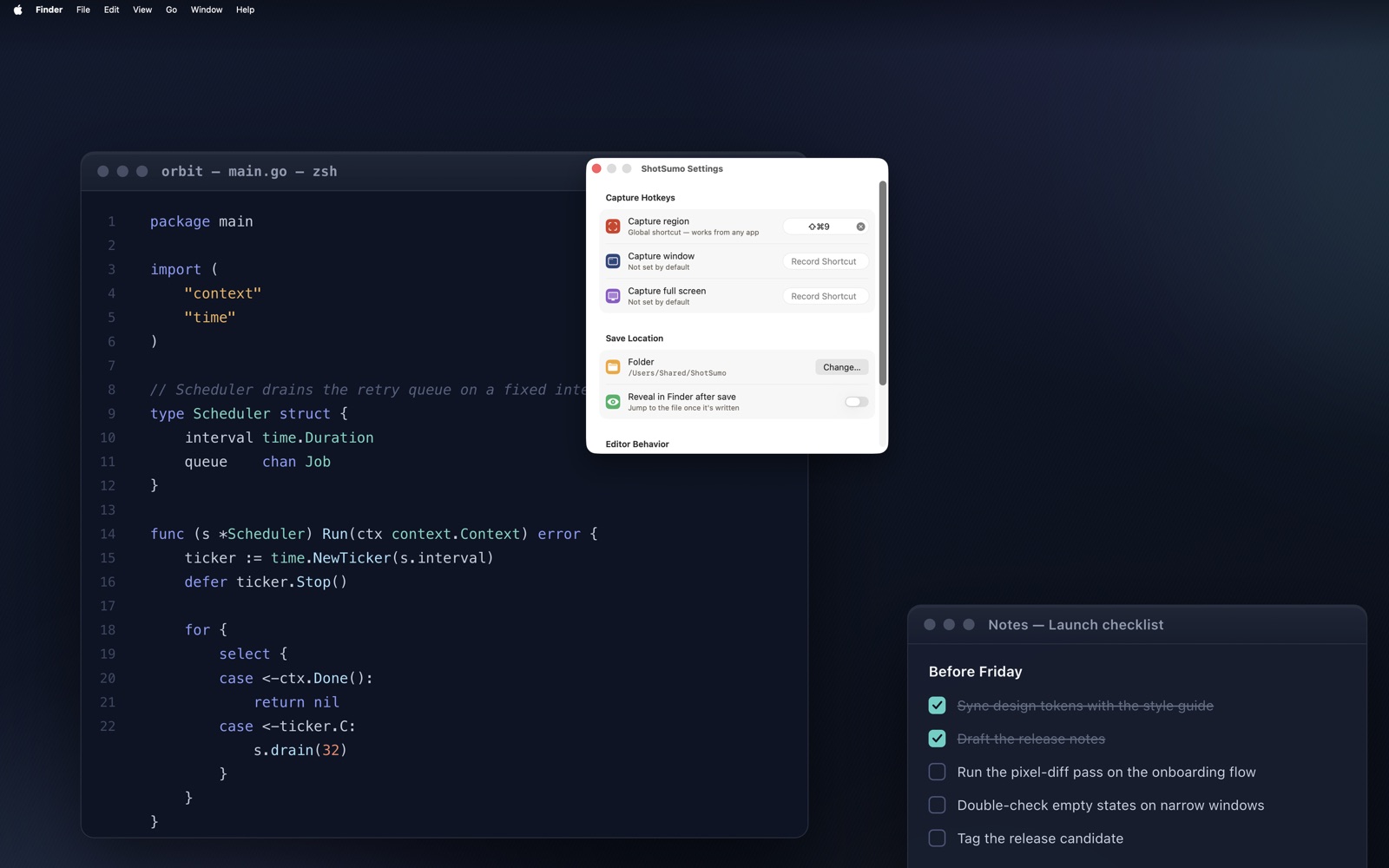
Region capture is ⌘⇧9 out of the box. Window and full-screen capture ship unbound so they can't collide with anything you already use. All three are rebindable in Preferences.
Your folder, your choice
The first time you save, ShotSumo asks where files should go, in the standard macOS dialog. Every save after that lands there instantly with no dialog to click through, and you can change the folder whenever you like.
Sandboxed, like a Mac app should be
ShotSumo runs inside Apple's App Sandbox and reaches exactly one folder outside its own container: the one you chose. Not a claim about intent — a limit macOS enforces.
The honest part
What ShotSumo doesn't do.
Most of a privacy page is a promise you have to take on faith. Where this one can be checked instead of believed, it says how.
- NOTelemetry. No analytics, no usage statistics, no crash reporting. There is no opt-out because there is nothing to opt out of.
- NOAds. Not in the app, not in the editor, not in a notification a week after you install it.
- NOTrackers or third-party SDKs. Nothing is linked in that phones an ad network, an attribution vendor, or an analytics company.
- NOCloud. Your screenshots are never uploaded, synced, or backed up anywhere by this app. They go to your clipboard or to your folder, and that's it.
- NOAccount. No sign-up, no email, no licence key. Install it and it works.
- YESScreen Recording permission. macOS requires it before any app can read the screen, and ShotSumo asks through the system's own prompt. It takes effect after you relaunch the app.
About the network — the part nobody else writes down. The version on the App Store today carries no network entitlement at all. That is stronger than "we don't send anything": the binary is not permitted to open a connection, so it cannot, however it behaves.
That will change. A paid tier is planned, and a paid tier means the app has to ask Apple whether your purchase is valid — standard App Store traffic, to Apple, about a receipt. When that ships, this page and the privacy policy will say so before the build does, and the entitlement will be there for anyone who looks. What will not change: your screenshots are not part of any of it, and there will still be no telemetry, no ads and no trackers.
Who it's for
Made by a geek, for geeks.
ShotSumo is a native Swift app that starts instantly, sits in the menu bar, and does one job. No Electron, no bundled browser, no 400 MB of runtime, no onboarding carousel, no "what's new" modal, no nagging.
It is the screenshot tool its author wanted and could not find: fast enough that grabbing a region is not a decision, and quiet enough to forget it's installed.